 Post Once
Upgrade, change or cancel your plan
Manage your plan on the Billing page in the app. Upgrading opens Stripe Checkout, switching between paid plans or to yearly shows the prorated price first, and Downgrade under Free cancels at the end of the period you paid for. Your first payment has a 30-day money-back guarantee.
Open Billing from the menu under your avatar, or press the Upgrade button (or your plan’s name) in the top bar.
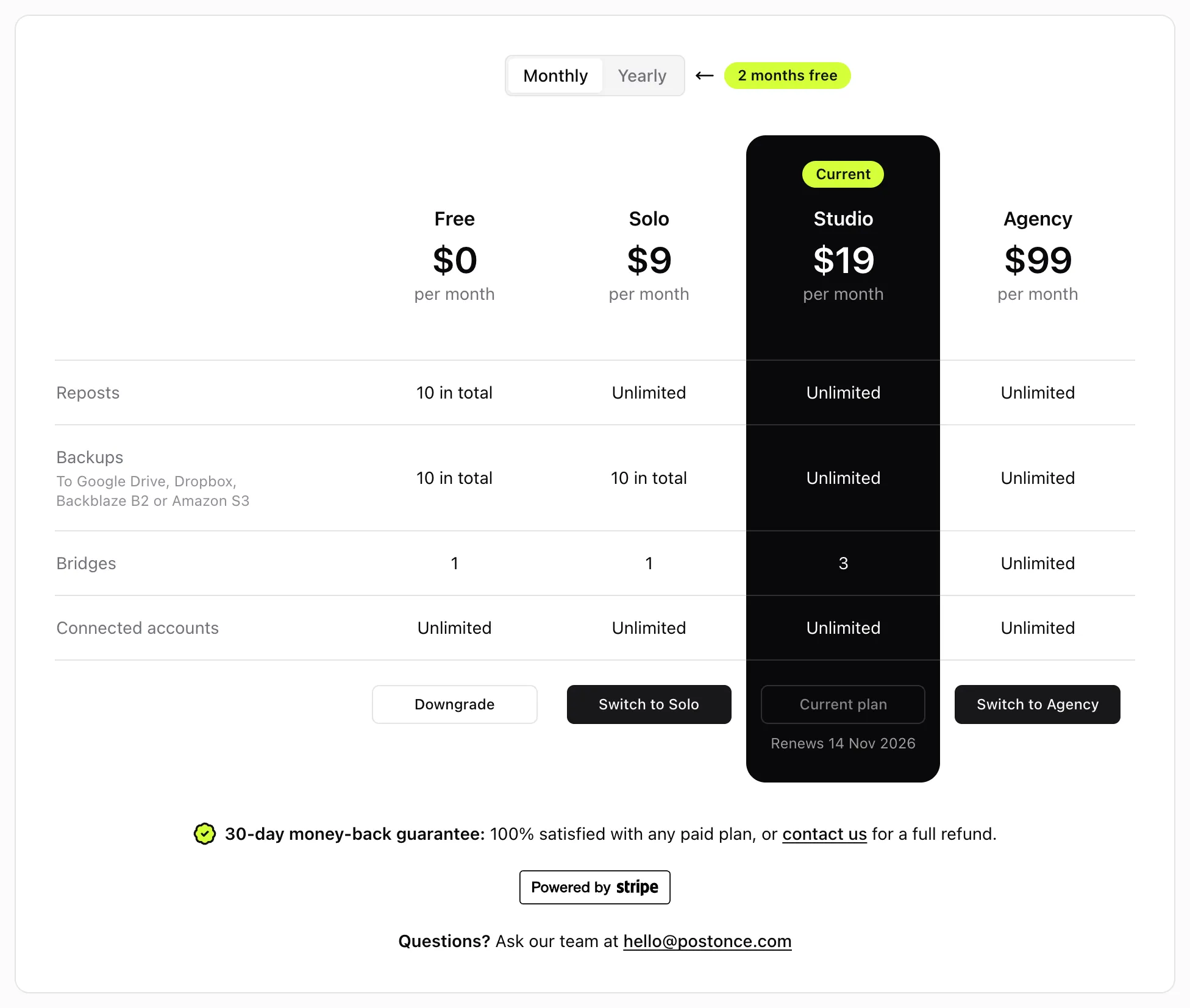
Plans
| Plan | Monthly | Yearly | Reposts | Backups | Bridges |
|---|---|---|---|---|---|
| Free | $0 | $0 | 10 in total | 10 in total | 1 |
| Solo | $9 | $90 | Unlimited | 10 in total | 1 |
| Studio | $19 | $190 | Unlimited | Unlimited | 3 |
| Agency | $99 | $990 | Unlimited | Unlimited | Unlimited |
Yearly costs the same as 10 months, so 2 months are free. Prices are in US dollars, paid by card through Stripe.
Upgrade from Free
- Choose Monthly or Yearly at the top of the plans.
- Press Upgrade under the plan you want. Stripe Checkout opens.
- Pay, and you come back to Post Once with “Thanks! Your plan is active.”
If it says “We could not confirm your payment yet”, refresh in a minute. If the plan still has not changed, email us.
Switch plans or billing period
On a paid plan, press Switch to Studio (or any other plan), or Switch to yearly / Switch to monthly. Stripe shows the prorated charge before you confirm.
Moving to a plan with fewer bridges keeps your oldest bridges running up to the new limit and pauses the rest. Nothing is deleted. Pause one and resume another on its Bridge page to choose which ones run. See bridges.
Cancel
Press Downgrade under Free and confirm in Stripe. Your plan stays active until the end of the period you paid for, and the Billing page shows “Ends” with the date. Then the account moves to the Free plan. To close your account completely, see delete your data.
Refunds
Your first payment on a paid plan comes with a 30-day money-back guarantee. Email [email protected] within 30 days of that payment and we refund it in full. After that we do not refund partial periods, unless the law where you live requires it. The full policy is in the terms.
Frequently asked questions
How do I get a refund?
Email [email protected] within 30 days of your first payment on a paid plan, and we refund it in full. After that we do not refund partial periods, unless the law where you live requires it.
Where are my invoices?
Press Manage billing at the top of the Billing page. Stripe's billing portal lists every invoice and receipt to download.
Can I use a promotion code?
Yes. Stripe Checkout has a field for it when you upgrade from Free.
What happens if a payment fails?
Your plan stays on while Stripe retries the card, and the Billing page says "Payment failed. Update your card." Update it under Manage billing. If the payment keeps failing, the account moves to the Free plan.