 Post Once
Back up every post to your own storage
Post Once saves a copy of each new post and its caption to cloud storage you own, in folders by account and month. Connect Google Drive, Dropbox, Backblaze B2, or Amazon S3 and other S3-compatible storage under "Back up to" on the Bridge page.
Accounts get hacked, banned or deleted, and a platform can remove a post without warning. A backup in storage you own keeps the original file and its caption either way.
Connect a backup
You can pick one under Also back up to (optional) when you sign up. Later, open Bridge and press Connect next to a service in the Back up to card.
| Service | How it connects | Where files go |
|---|---|---|
| Google Drive | Sign in with Google | A Post Once folder in My Drive |
| Dropbox | Sign in with Dropbox | Apps/Post Once |
| Backblaze B2 | Paste an application key | A Post Once folder in your bucket |
| Amazon S3 and S3-compatible | Paste an access key | A Post Once folder in your bucket |
You can connect more than one. Each post is saved to every backup that is switched on.
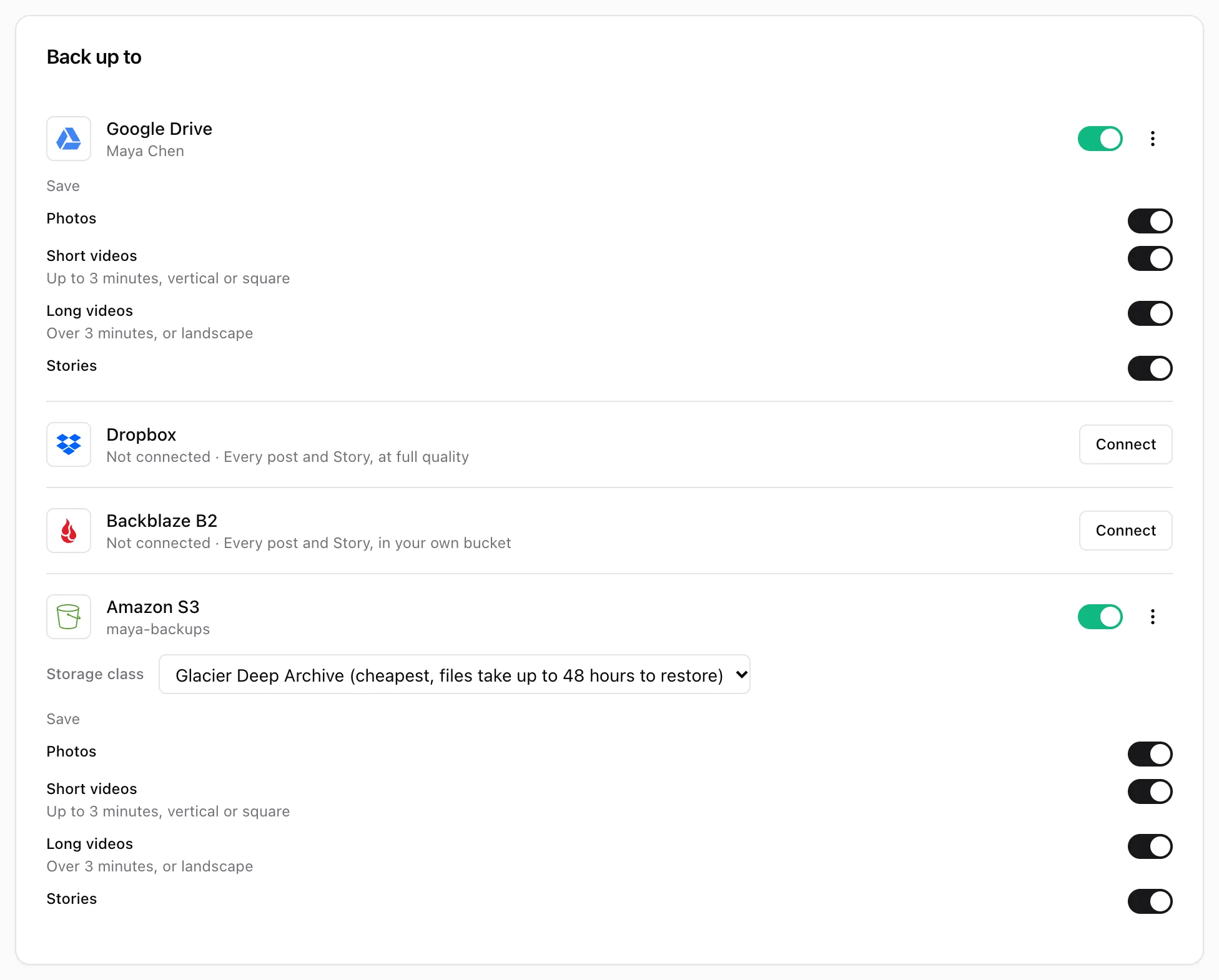
Choose what to save
Each connected backup has a Save list with a switch for each kind of post:
- Photos
- Short videos: up to 3 minutes, vertical or square
- Long videos: over 3 minutes, or landscape
- Stories: shown when your source has Stories (Instagram or Facebook)
All of them start switched on. Turn one off and that backup leaves those posts out entirely. You can still save one by hand from Your posts with Post now, choosing that backup.
How are the files organized?
Each post gets a file named by its date and the first words of its caption, in a folder per account and per month:
Post Once/
  Instagram @yourhandle/
    2026-10 October/
      2026-10-12 Fifteen minute tomato pasta.mp4
      2026-10-12 Fifteen minute tomato pasta.txt
      Stories/
2026-10-12 18.40.mp4- Captions: Dropbox, Backblaze B2 and S3 save a .txt file with the same name beside each post, holding the caption and a link to the original post. Google Drive puts the same text in the file’s description instead.
- Carousels get their own folder with 1.jpg, 2.jpg and so on in post order, plus Caption.txt.
- Stories go in a Stories folder inside the month, named by date and time. They have no caption file.
- Quality: Post Once saves the original file. It only converts a video to H.264 when the platform served another format, so it opens anywhere.
Dates follow the time zone of the browser you connected from. Retrying a post never saves it twice.
Pause or remove a backup
The switch on a backup’s row pauses it, like any destination. To remove it, open its three-dot menu and choose Disconnect. Files already saved stay in your storage.
Frequently asked questions
How many backups do I get?
Free and Solo back up your first 10 posts. Studio and Agency back up every post. A backup counts once per post, however many storage services it goes to, and only when it saves.
Does a backup use one of my free reposts?
No. Free reposts and free backups are counted separately.
Who pays for the storage?
You do, with your storage provider. The files sit in your own account, so any storage cost is between you and them. Post Once does not charge for storage.
Are my old posts backed up?
Backups follow your new posts from the moment you connect. Older posts are not copied on their own.