 Post Once
Choose where Post Once reposts
Destinations are the accounts that get a copy of each new post. You can connect YouTube, Instagram, Facebook Pages, Threads, X and LinkedIn, on every plan and with no limit on how many. Each one only gets the kinds of posts it accepts.
Add a destination
When you sign up, pick destinations under Where else should it land? and connect each one on the next screen. Later, press Add destination on the dashboard, or open Bridge and press Connect next to a platform in the Destinations card. Each platform opens its own sign-in page, then brings you back.
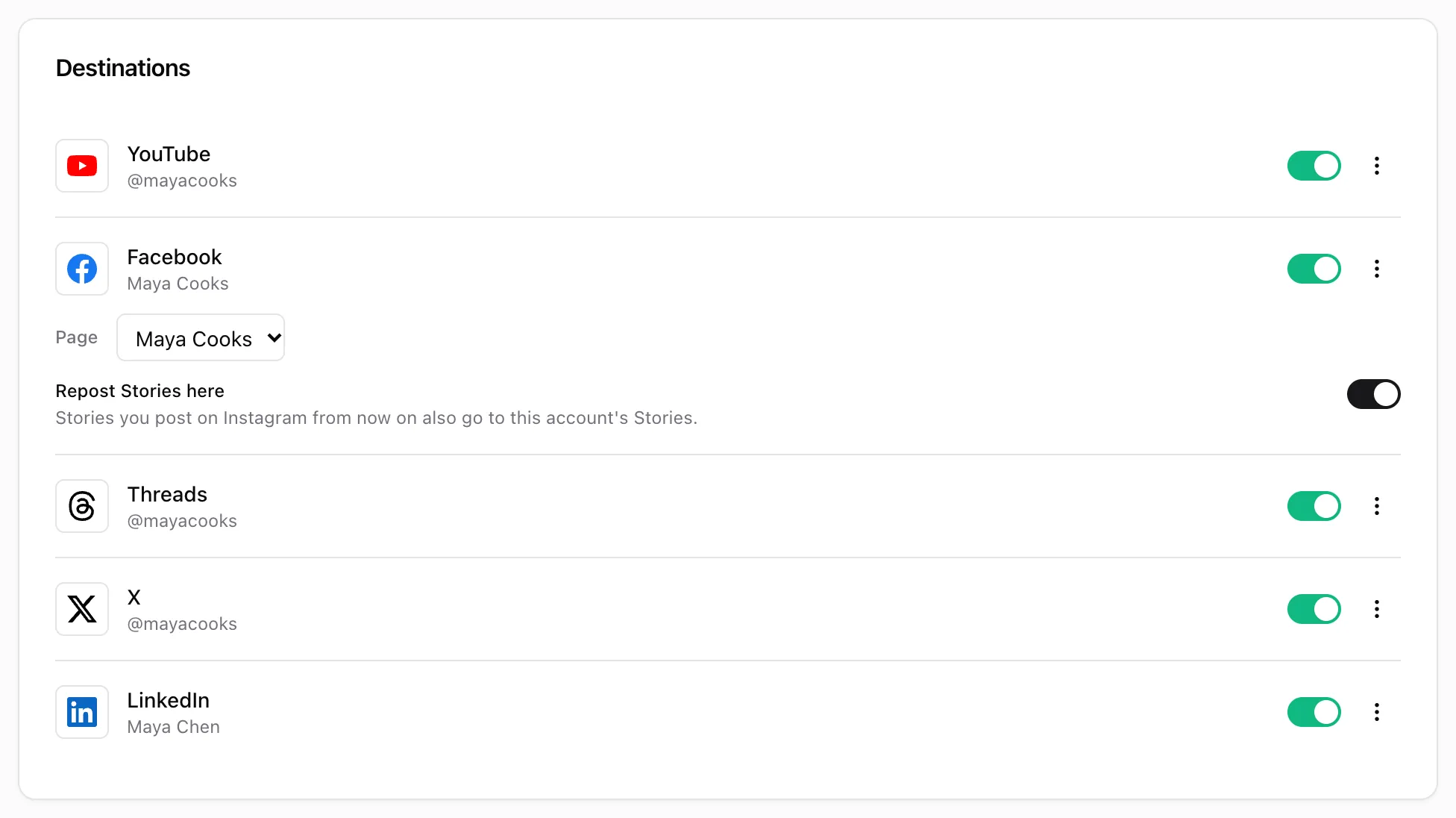
Facebook asks one more thing: which Page to post to. Pick it in the Post to Page list on its row. Nothing is posted to Facebook until a Page is picked.
What does each destination get?
| Destination | Videos | Long videos | Photos and carousels | Stories |
|---|---|---|---|---|
| YouTube | Yes | Yes | No | No |
| Yes, as Reels | No | Yes, up to 10 | Yes, when switched on | |
| Facebook Page | Yes, Reels or Page videos | Yes | Yes, up to 10 | Yes, when switched on |
| Threads | Yes | No | Yes, up to 20 | No |
| X | Yes | No | Yes, up to 4 | No |
| Yes | Yes | Yes, up to 20 | No |
A long video is one over 3 minutes, or one that is wider than it is tall. See long videos. When a destination cannot take a post, Post Once skips it there and says why, for example “YouTube does not accept photos”. A skip is not a failure.
Each platform also has its own caption rules. X allows 280 characters and Threads 500, for example. The destination articles cover what changes: YouTube, Instagram, Facebook, Threads, X and LinkedIn.
Pause a destination
Each destination has a switch on its row on the Bridge page. Turn it off and new posts skip that account. The row says “Paused. New posts are not sent here until you turn it back on.” Turn it back on to carry on. Posts that skipped it while it was paused show a Post to button, so you can still send them there.
To stop everything, including your source, use the Active switch on the Bridge card instead.
Remove a destination
Open the three-dot menu on its row and choose Disconnect. Posts already reposted there stay where they are.
Frequently asked questions
Is there a limit on destinations?
No. Every plan, including Free, can connect as many destination accounts as there are platforms.
Can I repost to two accounts on the same platform?
Not in one bridge. A bridge has one account per platform, and the source's own platform is not offered as a destination, so Instagram to a second Instagram account is not possible today.
I connected a new destination. Will it get my earlier posts?
No. Each post's destinations are fixed when Post Once picks it up, so the new account gets posts from then on. Posts that never went out, such as ones from before you connected, can still be sent with Post now in Your posts.