 Post Once
Your posts, and where each one went
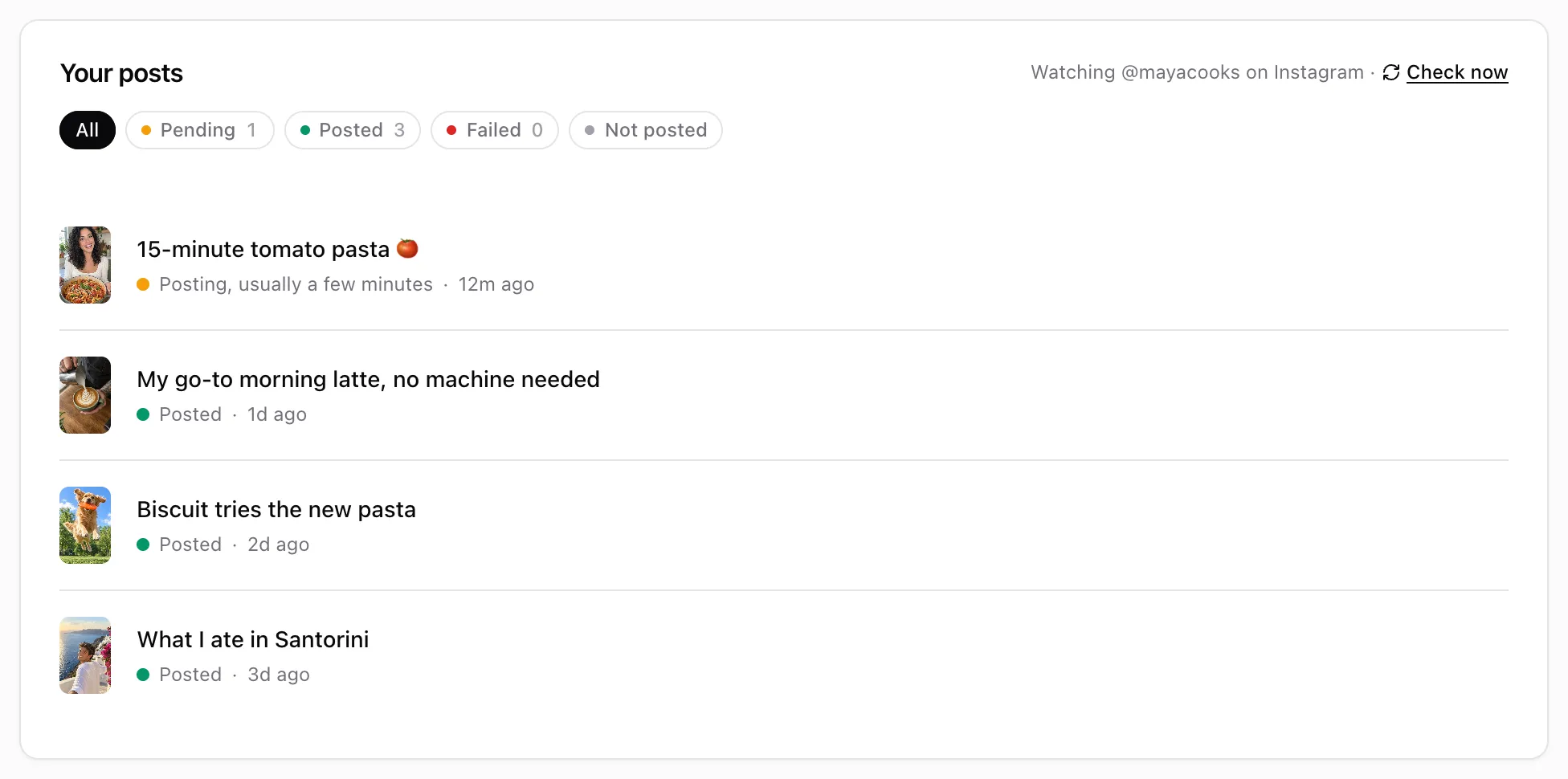
The dashboard lists every post Post Once sees on your source account under "Your posts", with a status for each one. Filter by Pending, Posted, Failed or Not posted, and use Post now or Post later to send a post by hand.
What the statuses mean
The line under each post says where it is:
| Status | What it means |
|---|---|
| Picking up your post from Instagram | Post Once is downloading it from your source. |
| Getting the file ready | The file is being prepared for each destination. |
| Posting, usually a few minutes | It is uploading. Long videos take longer. |
| Posts in … | It is scheduled with Post later. |
| Starts in … | Many new posts arrived at once, so this one waits a little. Nothing is dropped. |
| Daily limit, retries in … | A destination hit its daily limit. It goes out on its own when the limit resets. |
| Posted | Every destination that takes this kind of post has it. |
| Looks like a repeat of “…” | It matches a recent post, so Post Once is waiting for your OK. See repeat posts. |
| Not posted | Nothing was sent, with the reason, for example “Out of free reposts”. |
| Text in red | A destination failed after several tries. The text is the reason. See a post did not repost. |
Hover a post that has gone out and a row of icons appears beside it, one per destination (on a phone it is always there). Hover an icon to see when that destination posted, or why it was skipped or failed.
Filters
Use All, Pending, Posted, Failed and Not posted above the list. A post that reached some destinations but failed on others is under Failed. One that went nowhere is under Not posted.
Send a post by hand
Posts that have not gone out, such as ones from before you connected or ones held while you were out of free reposts, have buttons:
- Post now sends it to all your active destinations. The arrow beside it lets you pick one, for example YouTube only.
- Post later opens a date and time picker. It suggests tomorrow at 10:00. Press Schedule to confirm, or Cancel on the post to call it off.
- Post to YouTube (or Post to 2 more) appears after a post reached only some destinations, so you can send it to the rest.
Check for new posts now
The line above the list says which account Post Once is watching, for example “Watching @yourhandle on Instagram”. Press Check now to look for new posts right away instead of waiting for the next check. It never sends a post twice.
Frequently asked questions
Does posting by hand use a free repost?
Yes. On the Free plan a post sent with Post now or Post later counts as one repost, the same as an automatic one.
Can I schedule a repost for later?
Yes, for a post that has not gone out yet. Press Post later, pick a date and time at least a few minutes ahead, and press Schedule. You can cancel it until it starts posting.