 Post Once
Back up to Amazon S3 or S3-compatible storage
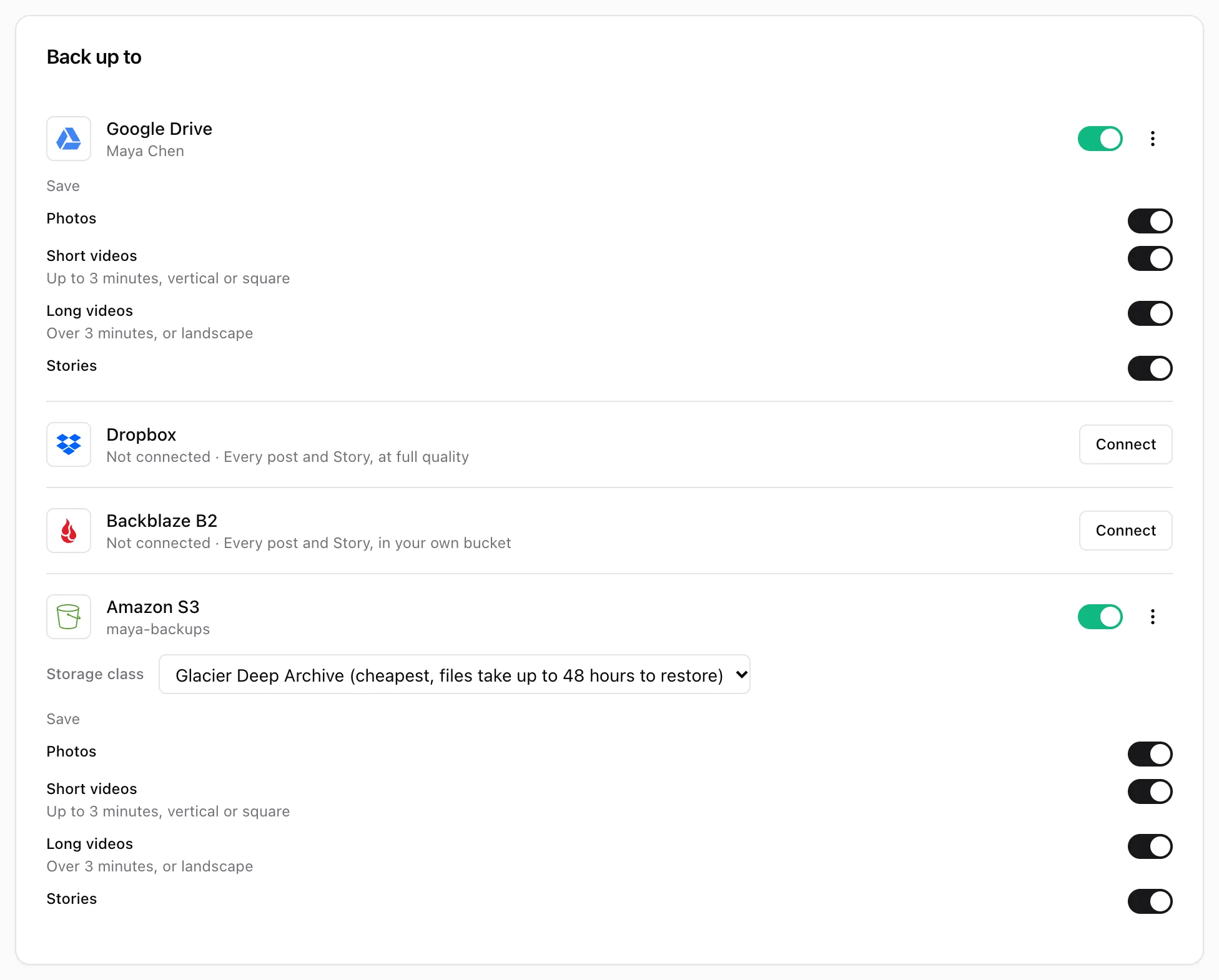
Post Once can save each new post to an Amazon S3 bucket, in Glacier Deep Archive by default, or to any S3-compatible service such as Wasabi or Cloudflare R2. Create an access key with list, read and write access to one bucket and paste it into Post Once under "Back up to".
Amazon S3
1. Create a key in AWS
The Connect Amazon S3 dialog walks you through it:
- In AWS, create an IAM user for Post Once.
- Press Copy the policy in Post Once and attach it to that user. It gives the key only what Post Once needs on your bucket:
s3:ListBucketon the bucket, ands3:PutObject,s3:GetObjectands3:AbortMultipartUploadon its files. - Create an access key for the user.
2. Connect it in Post Once
- Open Bridge and press Connect next to Amazon S3 in the Back up to card.
- Leave the toggle on Amazon S3.
- Paste the Access key ID and Secret access key, and enter the Bucket name.
- Press Connect.
3. Pick a storage class
Under the connected row, Storage class sets where new backups are stored:
| Storage class | Opening a file |
|---|---|
| Glacier Deep Archive (default) | Cheapest. Files take up to 48 hours to restore. |
| Glacier Flexible Retrieval | Files take minutes to hours to restore. |
| Glacier Instant Retrieval | Files open right away. |
| Standard | Files open right away. |
Wasabi, Cloudflare R2 and other S3 services
- Make an access key in your service with list, read and write access to one bucket.
- In Post Once, press Connect next to Amazon S3 and switch the toggle to Other S3 service.
- Fill in Access key ID, Secret access key, Bucket name and the S3 endpoint, for example https://s3.wasabisys.com or your Cloudflare R2 account’s S3 API address. Region (optional) is only needed if your service asks for one.
- Press Connect.
Other S3 services have no storage class picker. Under the row, Open bucket opens your bucket.
Where your posts go
Files go under a Post Once/ prefix in the bucket, sorted by account and month, with a .txt caption file beside each post. See back up every post. The key is encrypted before Post Once stores it and deleted when you disconnect.
If Post Once says the key is missing a permission, give it s3:ListBucket on the bucket and s3:PutObject, s3:GetObject and s3:AbortMultipartUpload on its files, then connect again.
Frequently asked questions
Why Glacier Deep Archive by default?
It is the cheapest Amazon S3 storage class, which suits an archive you rarely open. The trade-off is that a file takes up to 48 hours to restore. Pick another class under Storage class if you want files to open right away.
Does changing the storage class move my old backups?
No. It applies to new backups only.
Which S3-compatible services work?
Any service with an S3 API, such as Wasabi or Cloudflare R2. Choose Other S3 service and enter its S3 endpoint.