 Post Once
Post to all social media at once, automatically
Keep posting on Instagram, YouTube, Facebook, Threads or X as usual. Post Once picks up each new post and reposts it to your other accounts, with its caption, then saves a copy to your own cloud storage.
- No credit card required
Used by creators with 350K+ followers combined
Three ways to post everywhere
| Compare | By hand | A scheduling app | Post Once |
|---|---|---|---|
| Where you post | By hand In each app, one by one | A scheduling app In the scheduling app | Post Once On your main account, as usual |
| Work for each post | By hand Upload again and paste the caption, per account | A scheduling app Upload it there and fill in each account | Post Once None, once it is set up |
| Trending audio and effects | By hand Yes | A scheduling app No, it posts through the API | Post Once Yes, you post in the native app |
| When the copies go out | By hand When you find the time | A scheduling app When you schedule them | Post Once Within minutes of your post |
| Backup of every post | By hand No | A scheduling app No | Post Once Saved to cloud storage you own |
| Best for | By hand One or two accounts, now and then | A scheduling app Planning a calendar of posts ahead | Post Once Copying every post to your other accounts |
A scheduling app like Buffer, Later or Hootsuite publishes every post through its API, your main account included, so that post can't use trending audio or in-app effects. With Post Once you keep posting in the native app, and only the reposts go out through Post Once.
What it works with
- Source accounts
- Instagram, YouTube, Facebook, Threads and X
- Reposts to
- YouTube, TikTok, Instagram, Facebook Pages, Threads, X and LinkedIn
- Backs up to
- Google Drive, Dropbox, Backblaze B2, and Amazon S3 or any S3-compatible storage
Alerts and retries
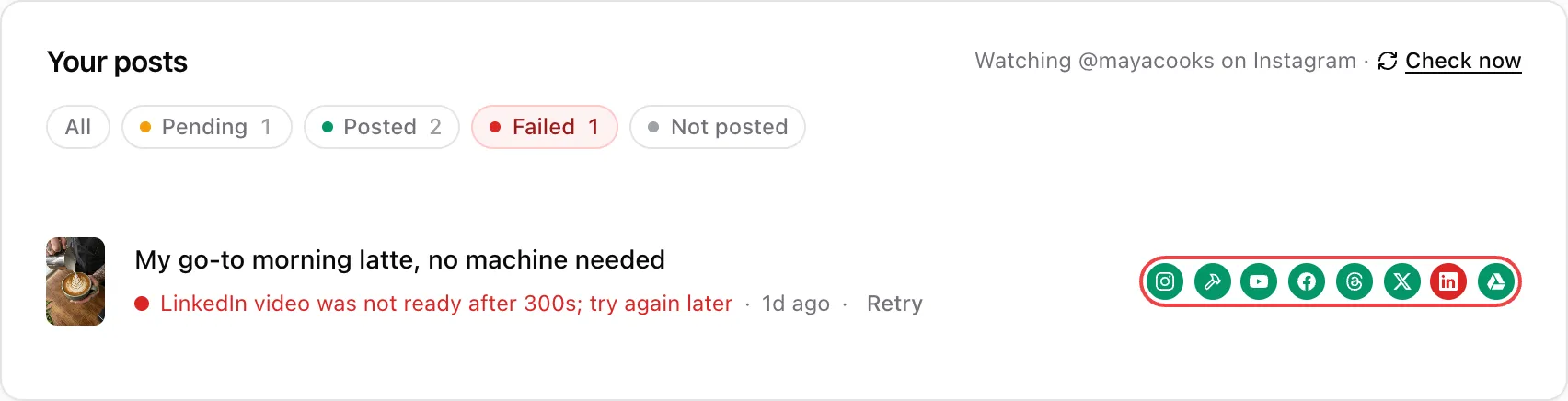
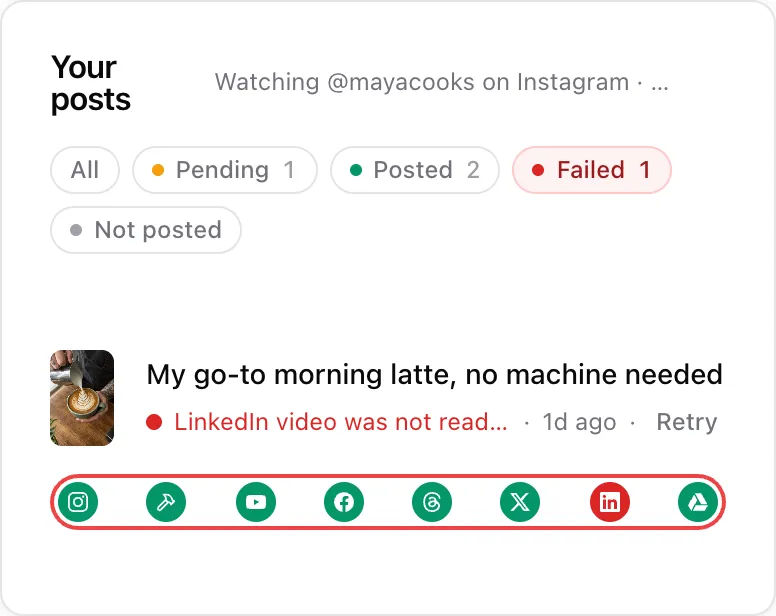
Nothing fails quietly.
If a platform turns down a repost, Post Once tries again on its own, then tells you which account missed it and why.
- Tries again on its own, up to 5 times
- Emails you if a repost still can't go out
- Sends it again with one click on Retry
- Warns you before a connection runs out
- Asks before posting the same video twice
What changes when a post crosses over
Each platform sets its own limits, so one post cannot go everywhere unchanged. These are the limits the platforms state themselves. The last row is what Post Once itself takes.
| Platform | Limit | Source |
|---|---|---|
| Threads |
| Meta Threads API overview |
| YouTube Shorts |
| YouTube Help: Shorts |
| X |
| X API: manage posts |
| Meta Instagram content publishing | |
| Post Once |
| Post Once fact sheet |
Set it up in minutes
- @yournameCreator account
1Connect your account
Connect the account you already post on. This is your source account.
- Your channelAnd your other accounts
2Pick where it goes
Pick the accounts Post Once should repost to, and where to back up.
3Keep posting
Keep posting on your source account as usual. Post Once reposts each new post with its caption and saves a copy to your storage.

Watch the setup
Post once on Instagram and watch it land on YouTube, Facebook, Threads, X and LinkedIn.
Common questions
Can I post to all social media at once for free?
Yes. The Free plan gives you 10 reposts and 10 backups with every feature on and no card. See pricing for the paid plans, and social media backup for how the backups work.
Do I post from Post Once?
No. You post on your own account in its own app, as usual. Post Once reposts each new post to your other accounts. Here is how Post Once works, step by step.
Which platforms does it work with?
Source accounts: Instagram, YouTube, Facebook, Threads and X. Reposts to: YouTube, TikTok, Instagram, Facebook Pages, Threads, X and LinkedIn.
How is this different from Buffer or Hootsuite?
A scheduling app like Buffer, Later or Hootsuite publishes your post to every account through its API, your main account included. With Post Once you post on your main account yourself, in its own app, and only the reposts go out through Post Once. For a longer take, read why scheduling apps can hurt the reach of your main account.
Will my long videos go to every platform?
Videos up to 2 hours and 4K. Videos over 3 minutes, or horizontal ones, go to YouTube, Facebook and LinkedIn, which take long videos.
Does it repost text-only posts?
Yes. Text posts from X, Threads and Facebook Pages are reposted to X, Threads, LinkedIn and Facebook Pages. A text post too long for a destination is skipped there, never cut off. It is not a scheduler. You do not write, upload or schedule posts in Post Once.
Can I post my Instagram Reels to YouTube automatically?
Yes. Connect Instagram as your source and YouTube as a destination, and each new Reel is uploaded to your channel as a Short, with your caption as the title and your hashtags as tags. See Instagram to YouTube for what each kind of post becomes.
Is there a Repurpose.io alternative?
Yes. Post Once is a Repurpose.io alternative that reposts within minutes, from $9 a month. The comparison also says where Repurpose.io is the better pick.
Is there a OneUp alternative for cross-posting?
Yes. OneUp checks your source account for new posts once an hour. Post Once is a OneUp alternative that checks every 1 to 5 minutes and also reads YouTube, Threads and X.
Spend your time making content, not re-uploading them.
Keep posting as usual. Post Once reposts it everywhere else and backs it up.
- No credit card required
Used by creators with 350K+ followers combined