 Post Once
Repost to a Facebook Page
Post Once posts to a Facebook Page you manage, not a personal profile. Short vertical videos up to 90 seconds post as Reels, longer or landscape videos as Page videos, photos and albums of up to 10 as photo posts, and Stories when you switch them on.
Connect your Page
- Pick Facebook under Where else should it land? when you sign up, or press Connect next to Facebook on the Bridge page.
- Sign in with Facebook. In the permissions dialog, make sure the Page you want is selected.
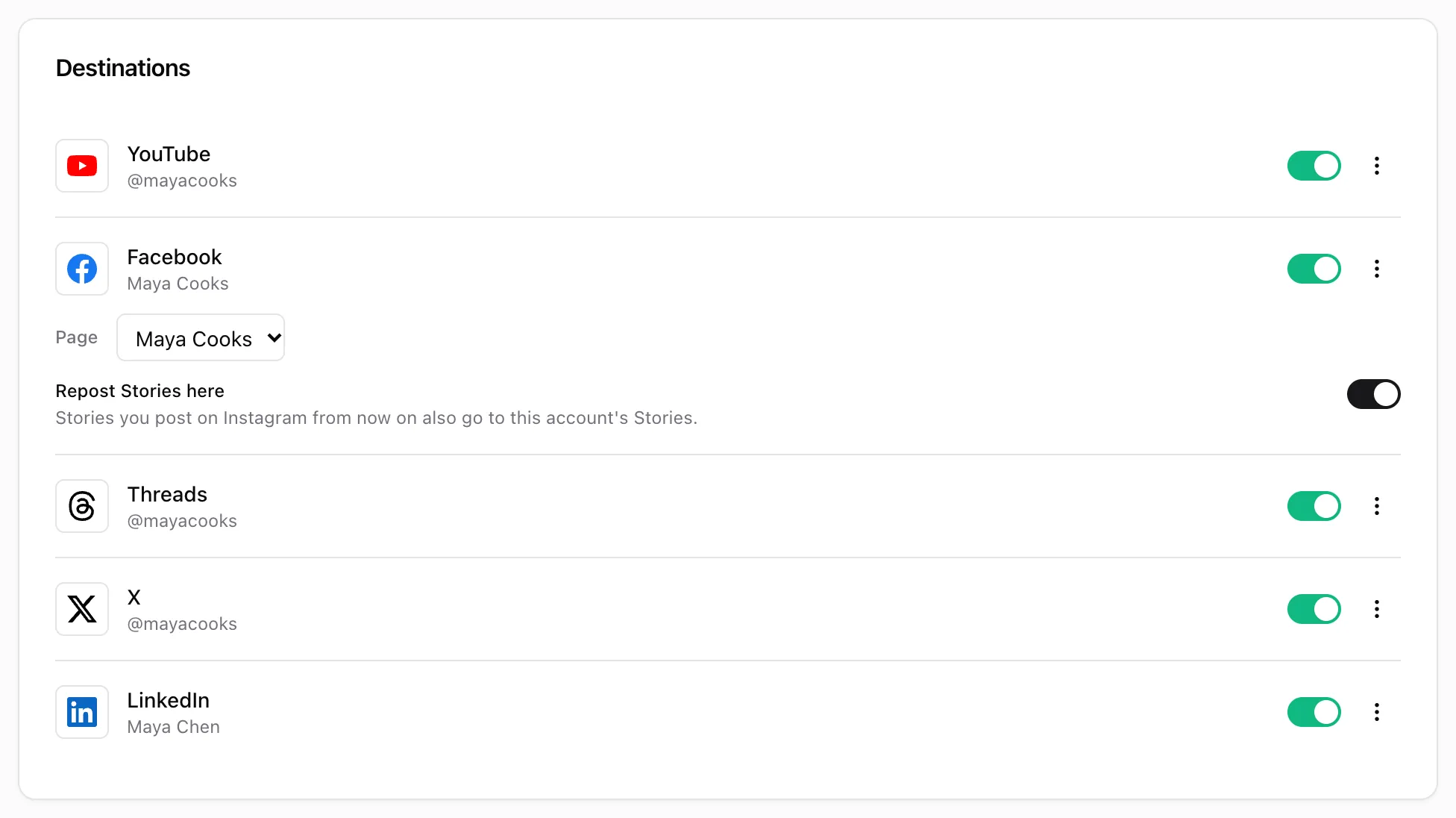
- Back in Post Once, choose it in the Post to Page list on the Facebook row. With only one Page, it is picked for you.
Nothing is posted to Facebook until a Page is chosen. If something goes wrong, see Instagram and Facebook connection errors.
What your Page gets
| Your post | On Facebook |
|---|---|
| Vertical or square video up to 90 seconds | A Reel |
| Longer or landscape video, up to 2 hours | A Page video, titled with the first line of your caption |
| Photo | A photo post |
| Carousel or album | A photo post with up to 10 photos |
| Story | A Page Story, when Repost Stories here is on |
Your caption goes with each post, up to 2,200 characters.
Daily limit
Post Once sends at most 50 posts per Page per day. Extra posts wait and go out once the limit resets.
Frequently asked questions
Can Post Once post to my personal Facebook profile?
No. Facebook only allows apps to post to Pages. Pick a Page you manage.
Why are my Instagram Stories not reposted to Facebook?
The Repost Stories here switch on the Facebook row is off by default, because Instagram can already share Stories to Facebook itself. Switch it on if you want Post Once to do it.
I get "No Facebook Page chosen". What do I do?
Facebook is connected but no Page is picked yet. Open the Bridge page and choose one in the Post to Page list on the Facebook row. New posts then go to that Page.