 Post Once
Connect Instagram to YouTube
Connect your Instagram account as the source and your YouTube channel as a destination in Post Once. From then on, the Reels and longer videos you post on Instagram go to YouTube on their own, with your caption. Photos, carousels and Stories skip YouTube, because YouTube only takes videos.
Before you start
- An Instagram Business or Creator account. Instagram only lets apps read posts from professional accounts. Switching is free in the Instagram app (Settings, then Account type and tools), and your posts and followers stay as they are.
- A YouTube channel on the Google account you sign in with.
- A Post Once account. The free plan includes 10 reposts, with no card needed.
To see the result before you start, Instagram to YouTube follows one Reel as it becomes a Short.
How to connect Instagram to YouTube
-
Create a free account at app.postonce.com. After two short intro screens, Post Once asks where you post.
-
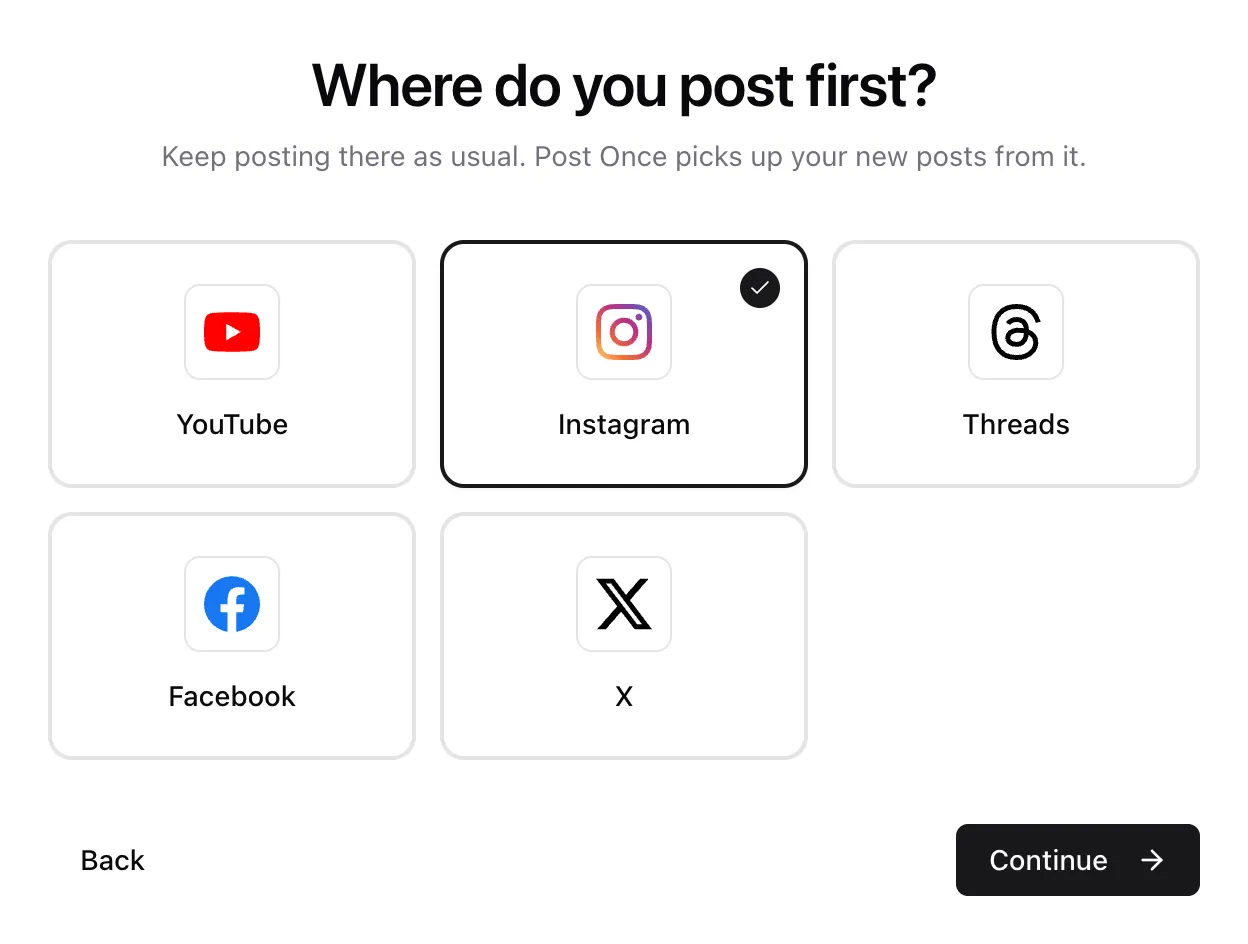
Under Where do you post first?, pick Instagram and press Continue.
-
Under Where else should it land?, pick YouTube. Add any other apps, or a backup, then press Continue.
-
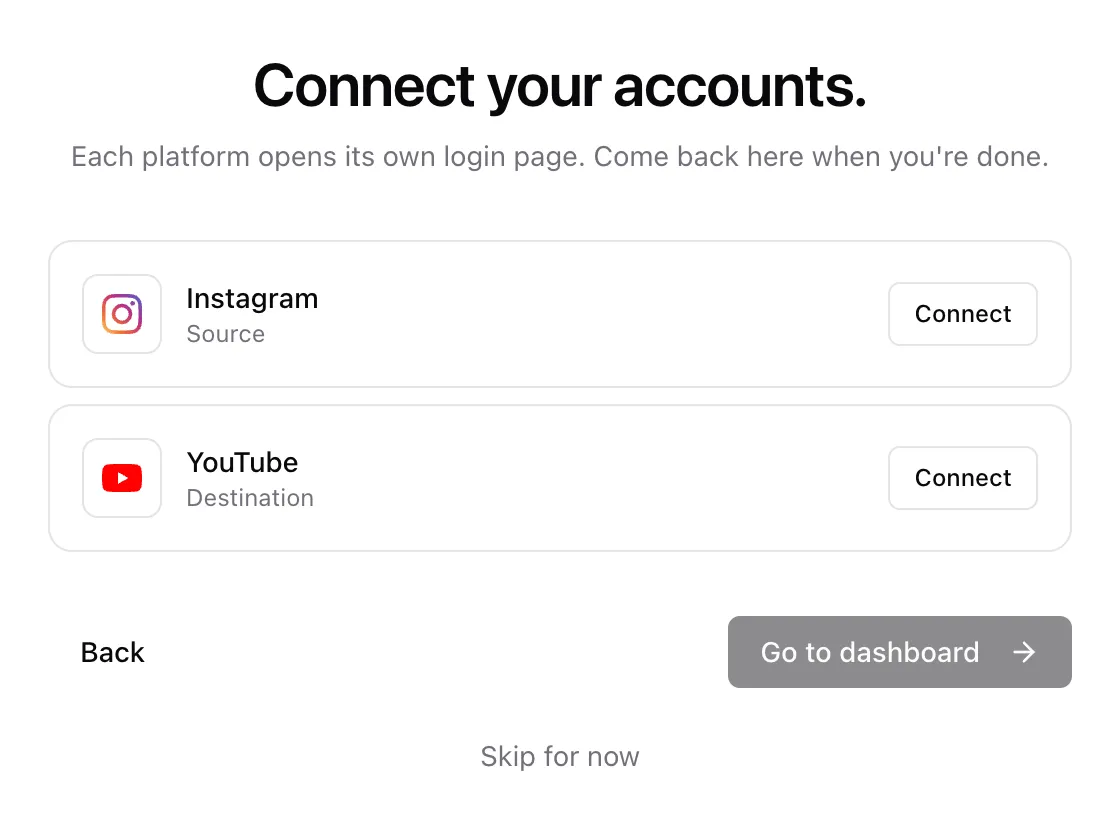
On Connect your accounts., press Connect on the Instagram row. Instagram’s sign-in page opens. If you have more than one account, choose the one you post on, then allow access.
-
Press Connect on the YouTube row. Sign in with the Google account that owns your channel and allow access.
-
When both rows say Connected, press Go to dashboard.
From then on, keep posting on Instagram as usual. Post Once checks it about every minute and reposts each new post to YouTube.
Already using Post Once?
If Instagram is already the source of your bridge, open Bridge and press Connect next to YouTube in the Destinations card, or press Add destination on the dashboard.
If your bridge reads from another account, add a second bridge with Instagram as its source from the bridge switcher. Free and Solo include 1 bridge, Studio 3 and Agency as many as you need. See bridges.
What each Instagram post becomes on YouTube
| On Instagram | On YouTube |
|---|---|
| A Reel or video up to 3 minutes, vertical or square | A Short. YouTube decides this from the video, so vertical or square videos up to 3 minutes show as Shorts. |
| A Reel or video over 3 minutes, or a landscape one | A regular YouTube video, up to 2 hours and 4K. |
| A photo | Skipped, with “YouTube does not accept photos”. |
| A carousel (its video slides are left out) | Skipped, with “YouTube does not accept photos”. |
| A Story | Skipped. YouTube does not take Stories. |
A skipped post shows the reason on your dashboard and still goes to your other destinations. See long videos for how Post Once tells short from long.
How your caption carries over
Your Instagram caption goes with each repost.
YouTube fills in each upload like this:
| YouTube field | What Post Once puts there |
|---|---|
| Title | The first line of the caption, up to 100 characters. With no caption it names the source, for example “Instagram video”. |
| Description | The full caption, up to 5,000 characters. |
| Tags | Every hashtag in the caption, without the #. Each tag up to 30 characters, 500 characters in all. |
| Visibility | Public. |
| Made for kids | No. |
Write the first line of your caption like a title and your YouTube uploads read well too.
Choose what goes to YouTube
On the Bridge page, the YouTube row has two settings.
- What to post has one switch here, Videos, since videos are all that go from Instagram to YouTube. Turning it off pauses YouTube.
- Rewrite caption changes the caption for YouTube only: Remove comment, DM and link in bio prompts, Remove hashtags and mentions, Rewrite with AI to suit YouTube, and Add your own text at the start or end. Each one is off until you turn it on.
Your Instagram row also has Include trial reels. When it is off, the default, a trial reel waits until you share it with your followers, then reposts like a new post. Post Once checks for that every 30 minutes for up to 7 days. Turn it on to repost trial reels right away.
Check that it works
Post something on Instagram as usual. Within a minute or two it shows up under Your posts on the dashboard, then goes to YouTube. Each post shows where it went, what was skipped and why.
If a repost fails, Post Once tries again up to 5 times over about half an hour. If it still fails, you get an email, and Retry sends it again to just the accounts it missed. See a post did not repost.
Only posts published after you connect are reposted on their own. Older ones are listed in Your posts, where you can send any of them by hand.
Frequently asked questions
Is it free to repost Instagram to YouTube?
Every account gets 10 free reposts, with no card and no watermark. One repost is one post sent to all your destinations, so it counts once however many apps it goes to. After that, paid plans start at $9 a month. See pricing.
How fast do Instagram posts reach YouTube?
Post Once checks Instagram about every minute, then reposts straight away. Long videos take a few more minutes to fetch and upload.
What are the limits of reposting from Instagram to YouTube?
Post Once uploads at most 6 videos per channel per day, to stay inside YouTube's API limits. Extra videos are not dropped: they show "Daily limit, retries in ..." and go out once the limit resets. Videos can run up to 2 hours, at up to 4K.
Are the reposts lower quality than my Instagram post?
Post Once fetches Reels at 1080p where Instagram makes that version available, and falls back to the 720p file Instagram's API provides.
Why did a Reel with music not repost?
Instagram sometimes withholds the file for Reels with licensed music. If Post Once cannot get it another way, the post shows "Instagram did not provide the video file for this reel, usually because it uses licensed audio". Other reasons are in a post did not repost.
Are the YouTube uploads public?
Yes. Videos are uploaded as public and marked as not made for kids.